Every service business runs on the same scarce resource: time slots. A clinic sells consultation slots, a salon sells chair time, a consultant sells meetings, a repair service sells visit windows. Which makes one question strangely underrated: how do customers actually get one of your slots?
For most practices the honest answer is “they call, during the exact hours we’re busiest, and if we miss the call they maybe call back.” This guide is about replacing that leaky funnel with online appointment booking: what it is, why it measurably grows service businesses, the psychology of no-shows and how advances fix them, and how to set the whole thing up in half an hour.
What online appointment booking actually means
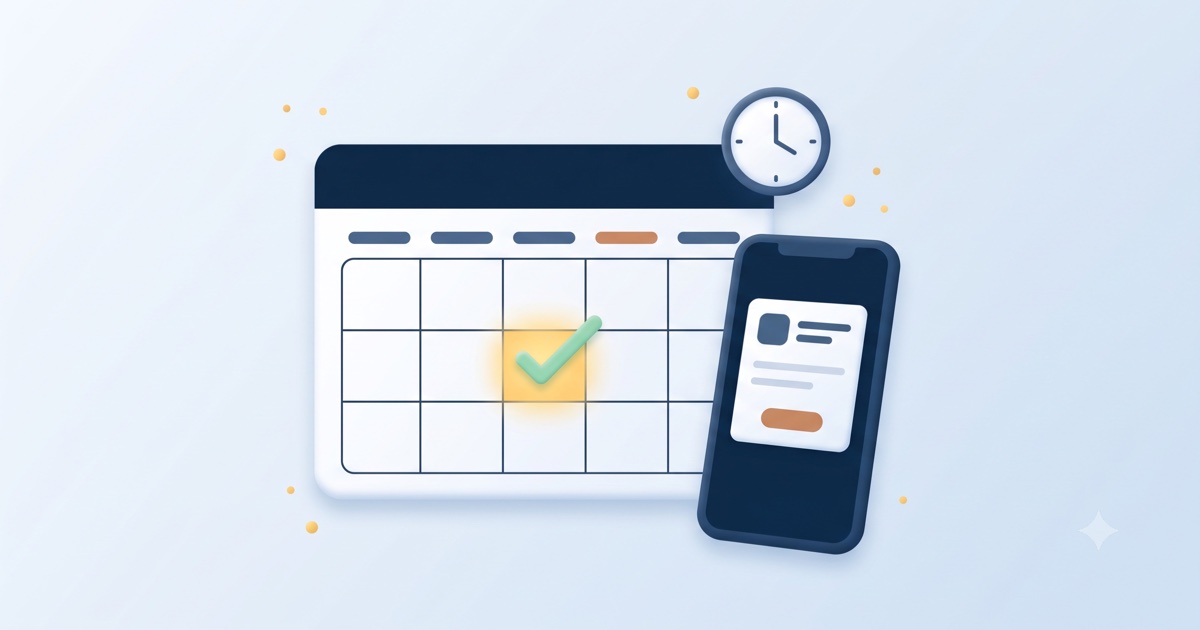
Online booking means a visitor on your website can see your real availability and reserve a slot in a few taps (a specific service, a specific time), and both sides get instant confirmation. Done properly, it has five parts:
- A live calendar that reflects your actual working hours and fills as slots get taken.
- Service selection: a haircut vs. a bridal package, a check-up vs. an RCT consultation, so you know what’s coming and can allot the right time.
- Instant confirmation to the customer, so the reservation feels real.
- Instant notification to you, on WhatsApp where you already live, so nothing needs a login to manage.
- Optional payment: a consultation fee or a small booking advance, collected at the moment of booking.
No app for the customer to download. No software for you to learn. A link on your website (and in your Instagram bio, and your WhatsApp greeting) does all of it.
The case for it, in numbers you can check against your own week
Count your missed calls. Every practice has a daily pile: calls during treatments, during rush hour, after closing. Each one is a customer trying to give you money and failing. Online booking converts that entire pile silently.
Count the after-hours demand. Roughly 40% of booking-intent searches happen outside business hours: evenings, early mornings, Sundays. A phone-only practice is effectively closed during nearly half its demand window. Your booking page never closes.
Count the interruptions. Every booking call interrupts a paying customer to serve a maybe-customer. The maths of that trade is terrible, and your front desk (or you) pays it dozens of times a day. Bookings that arrive silently on WhatsApp cost zero interruptions.
Count the back-and-forth. “What times do you have Thursday?” “4 or 6.” “Hmm, Friday?” A booking page collapses that entire negotiation into one glance at a calendar.
No-shows: the silent tax, and the advance that fixes it
Every service business knows the 5 pm no-show that killed a slot you could have sold twice. No-shows happen because a phone booking is psychologically free. Breaking it costs the customer nothing, not even an awkward conversation.
A small booking advance changes the psychology completely. When a customer pays even a modest advance online:
- Commitment jumps. People show up for things they’ve paid for. The behavioural economics is boring and reliable.
- Serious customers self-select. Price-shoppers and “maybe” bookings filter themselves out before consuming a slot.
- Cancellations become civilised. With a fair policy (full credit if rescheduled a day ahead, for example), customers cancel properly instead of vanishing, so the slot gets resold.
Practices that introduce advances typically see no-shows collapse. Counterintuitively, customers like it too: paying an advance makes the booking feel premium and secure. One rule: the money should go directly to you, with 0% platform fee. An advance that leaks commission is just a new tax. (That 0% is a design principle of GoClickBuild, not a promotional rate.)
What a great booking flow looks like, screen by screen
Judge any booking system, ours included, against this flow:
- The customer taps “Book” from your website, Instagram bio, or a WhatsApp message.
- Picks a service. Clear names, honest prices, realistic durations. This step alone kills the “how much for…?” call volume.
- Picks a time from slots that are genuinely yours. The calendar respects your hours, breaks, and days off.
- Confirms (and optionally pays). Name, phone number, done. No account creation; every extra field costs completions.
- Both sides get confirmation instantly. The customer gets the details; you get the booking on WhatsApp and reply with one tap.
- Reminders go out before the appointment, the second-biggest no-show killer after advances.
If a system needs a manual, a training session, or a new app habit from either side, it will quietly stop being used. The bar is: easier than a phone call, for both of you.
Setting it up in 30 minutes
With GoClickBuild, booking isn’t an add-on you integrate; it’s built into your site from minute one:
- Minutes 0–3: Tell us your business name, what you do, and your services with prices and durations.
- Minutes 3–20: Your complete website is built (pages, words, photos) with the booking system already wired to your services and hours.
- Minutes 20–27: You review and pick what you like. Adjust a price, a duration, or a photo by tapping, not building.
- Minutes 27–30: You’re live. The booking button works immediately; the first booking can arrive tonight.
Changing things later (a new service, seasonal timings, a price update, switching advances on or off) is one chat message, unlimited and free, forever.
Frequently asked questions
Will older or less tech-comfortable customers use it? They’ll surprise you. Anyone who uses WhatsApp can tap a time slot. And the phone still works: online booking adds a channel, it doesn’t remove one. Typical pattern within a month: younger and after-hours customers book online, everyone else keeps calling, and total bookings go up.
What if two customers want the same slot? They can’t. The calendar is live. When a slot is taken it disappears. That’s the entire point versus the diary-and-phone method, where double-booking is one distracted moment away.
Do I control my schedule? Completely. Your hours, your breaks, your days off, how many bookings per hour, how much notice you need. Blocking a day for a family function is one message.
What does it cost? It’s included in the Business plan at $12 per month, alongside the full website, payments, domain, and unlimited changes. There’s no per-booking fee and no commission on advances: money your customers pay you is yours.
The bottom line
Your competitors’ phones and yours ring the same busy hours and go equally unanswered. The practice that wins the next few years is the one whose calendar quietly fills itself at 11 pm. That’s a 30-minute setup away, and the first after-hours booking usually pays for the month.